
Enter / Import
Bring data into a suitable structure.
Corporate programme
Excel is most useful when employees can apply it accurately to the files, calculations and reports they handle at work.
Different roles need different functions and levels of confidence.
This programme develops practical Excel capability through hands-on tasks rather than software demonstration alone.

Programme overview
Employees may need to structure data, use formulas, combine information, clean files, analyse results or create clearer reports.
The programme can be planned for beginner, intermediate or more advanced needs after the current level and workplace tasks are understood.
Participants practise with sample data and exercises matched to the agreed scope.
Final programme details, duration and activities will be confirmed in the proposal.
Why it matters
Manual work, inconsistent data and fragile formulas can slow reporting and make it harder for employees to check their own work.
Consistent tables make formulas, filtering and analysis more reliable.
Suitable formulas reduce repetitive manual steps.
Sorting, filtering and PivotTables help participants examine larger datasets.
Checks, validation and clear workbook design reduce avoidable errors.
Learning outcomes
Programme content
Final emphasis may be adapted according to participant responsibilities and organisational needs.
Navigate workbooks and organise data consistently.
Use references, operators and formula logic.
Depending on participant level and Excel version, examples may include functions such as SUM, AVERAGE, COUNT, IF, SUMIF / SUMIFS, COUNTIF / COUNTIFS, selected text and date functions, and other functions relevant to workplace tasks.
Depending on participant level and Excel version, examples may include XLOOKUP, VLOOKUP or other suitable lookup approaches.
Handle spacing, formats, duplicates and inconsistent entries.
Control data entry and examine subsets more effectively.
Summarise and explore structured data.
Present patterns and exceptions clearly.
Introduce repeatable import and transformation when suited to participant level.

Workplace application
Learning approach
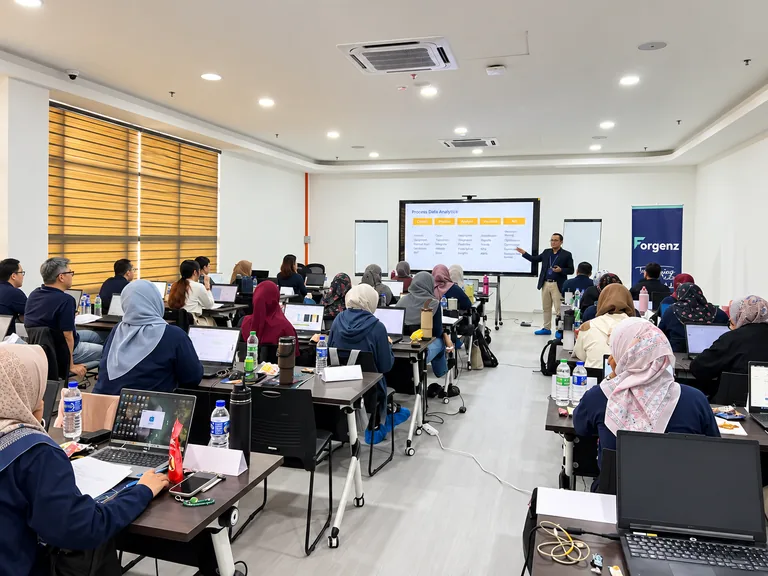
Participants learn by completing guided tasks, individual exercises and workplace-style reporting activities.
Programme planning
The programme level should reflect the software version, current skill and work participants need to perform.
Build reliable foundations in data structure, formulas and everyday features.
Develop logical, lookup, analysis and reporting skills.
Focus on more complex functions, repeatable data work and selected Power Query use where appropriate.
YOUR NEEDS SHAPE THE PROGRAMME.
Request a proposal →Delivery
Participants should have suitable laptops and the agreed Excel version. Exercises and datasets are confirmed according to scope.
FAQ
Employees who use spreadsheets for calculations, data handling, analysis or reporting.
Yes. Foundations can be planned after current skill and tasks are understood.
Yes. The scope can cover logical and lookup functions, PivotTables, reporting or Power Query where appropriate.
These functions can be included where relevant to the participant level, workplace tasks and Excel version being used. The final function set is confirmed during programme planning.
Yes. Guided and individual practice is central to the learning approach.
Normally yes for hands-on delivery. Final technical arrangements are confirmed in the proposal.
Suitable anonymised or recreated examples may be used without exposing confidential information.
Excel and Power BI are related but separate capabilities. A dedicated Power BI programme is available.
Duration depends on level, topics and practice depth.
Eligible employers can apply to use their HRD Corp levy for applicable programmes, subject to HRD Corp requirements.